Asdfasf

Saturday, October 25, 2014

PragProg - Programming by Coincidence

Ref: The Pragmatic Programmer

 Know what you are doing while you are doing it. Know why you are doing while you are doing it.

TIP 44: Don't Program by Coincidence

How to Program Deliberately

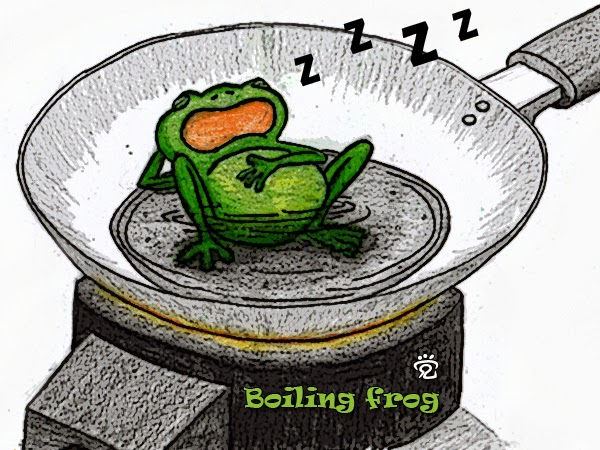
  • Always be aware of what you are doing. Don't be frog in boiling water.
  • Don't code blindfolded. Attempting to build an application you don't fully understand, or to use a technology you aren't familiar with, is an invitation to be misled by coincidences.
  • Proceed from a plan, whether that plan is in your head, on the back of a cocktail napkin, or on a wall-sized printout from a CASE tool.
  • Rely only on reliable things. Don't depend on accidents or assumptions. If you can't tell the difference in particular circumstances, assume the worst.
  • Don't just test your code, but test your assumptions as well. Don't guess; actually try it. Write an assertion to test your assumptions.
  • Don't be a slave to history. Don't let existing code dictate future code. All code can be replaced if it is no longer appropriate.
So next time something seems to work, but you don't know why, make sure it isn't just a coincidence.

PragProg - While You Are Coding

Ref: The Pragmatic Programmer

Conventional wisdom says that once a project is in the coding phase, the work is mostly mechanical, transcribing the design into executable statements. We think that this attitude is the single biggest reason that many programs are ugly, inefficient, poorly structured, unmaintainable, and just plain wrong.

Coding is not mechanical. If it were, all the CASE tools that people pinned their hopes on in the early 1980s would have replaced programmers long ago. There are decisions to be made every minute—decisions that require careful thought and judgment if the resulting program is to enjoy a long, accurate, and productive life.
 
Developers who don't actively think about their code are programming by coincidence—the code might work, but there's no particular reason why. In Programming by Coincidence, we advocate a more positive involvement with the coding process.

Something that should be in the back of your mind whenever you're producing code is that you'll someday have to test it. Make code easy to test, and you'll increase the likelihood that it will actually get tested.

PragProg - Decoupling and the Law of Demeter

Ref: The Pragmatic Programmer

Good fences make good neighbors.
Robert Frost, "Mending Wall"

"shy" code is beneficial. But "shy" works two ways: don't reveal yourself to others, and don't interact with too many people.

Suppose you are remodeling your house, or building a house from scratch. A typical arrangement involves a "general contractor." You hire the contractor to get the work done, but the contractor may or may not do the construction personally; the work may be offered to various subcontractors. But as the client, you are not involved in dealing with the subcontractors directly—the general contractor assumes that set of headaches on your behalf.
 
We'd like to follow this same model in software. When we ask an object for a particular service, we'd like the service to be performed on our behalf. We do not want the object to give us a third-party object that we have to deal with to get the required service.

Don’t talk to strangers.


Friday, October 24, 2014

PragProg - Pragmatic Paranoia

Ref: The Pragmatic Programmer


Tip 30 : You Can't Write Perfect Software

Did that hurt? It shouldn't. Accept it as an axiom of life. Embrace it. Celebrate it. Because perfect software doesn't exist. No one in the brief history of computing has ever written a piece of perfect software. It's unlikely that you'll be the first. And unless you accept this as a fact, you'll end up wasting time and energy chasing an impossible dream.


When To Use Exceptions

it is good practice to check for every possible error—particularly the unexpected ones. However, in practice this can lead to some pretty ugly code; the normal logic of your program can end up being totally obscured by error handling. We've seen code that looks something like the following:


Fortunately, if the programming language supports exceptions, you can rewrite this code in a far neater way:


PragProg - Debugging

Ref: The Pragmatic Programmer

Unfortunately, modern computer systems are still limited to doing what you tell them to do, not necessarily what you want them to do.
 
No one writes perfect software, so it's a given that debugging will take up a major portion of your day. Let's look at some of the issues involved in debugging and some general strategies for finding elusive bugs.

Psychology of Debugging

Having found someone else's bug, you can spend time and energy laying blame on the filthy culprit who created it. In some workplaces this is part of the culture, and may be cathartic. However, in the technical arena, you want to concentrate on fixing the problem, not the blame

TIP 24: Fix the Problem, Not the Blame

It doesn't really matter whether the bug is your fault or someone else's. It is still your problem.

A Debugging Mindset

Tip 25: Don't Panic

If your first reaction on witnessing a bug or seeing a bug report is "that's impossible," you are plainly wrong. Don't waste a single neuron on the train of thought that begins "but that can't happen" because quite clearly it can, and has.

Rubber Duck Debugging

A very simple but particularly useful technique for finding the cause of a problem is simply to explain it to someone else. The other person should look over your shoulder at the screen, and nod his or her head constantly (like a rubber duck bobbing up and down in a bathtub). They do not need to say a word; the simple act of explaining, step by step, what the code is supposed to do often causes the problem to leap off the screen and announce itself.

PragProg - Basic Tools

Ref: The Pragmatic Programmer

 Every craftsman starts his or her journey with a basic set of good-quality tools. A woodworker might need rules, gauges, a couple of saws, some good planes, fine chisels, drills and braces, mallets, and clamps. These tools will be lovingly chosen, will be built to last, will perform specific jobs with little overlap with other tools, and, perhaps most importantly, will feel right in the budding woodworker's hands.

Over time, the woodworker will add new tools, such as biscuit cutters, laser-guided miter saws, dovetail jigs—all wonderful pieces of technology.

Tools amplify your talent. The better your tools, and the better you know how to use them, the more productive you can be.

Shell Utilities and Windows Systems

Although the command shells provided with Windows systems areimproving gradually, Windows command-line utilities are still inferior totheir Unix counterparts. However, all is not lost.Cygnus Solutions has a package called Cygwin. As well asproviding a Unix compatibility layer for Windows, Cygwin comes with acollection of more than 120 Unix utilities, including such favorites as 1s,grep, and find.


Power Editing

You need to be proficient. Simply typing linearly and using a mouse to cut and paste is not enough. You just can't be as effective that way as you can with a powerful editor under your fingers. Typing "backspace" ten times to move the cursor left to the beginning of a line isn't as efficient as typing a single key such as "Home".

Tip 22: Use a Single Editor Well

If this sounds like you…Then think about…
I use only basic features of many different editors.
Pick a powerful editor and learn it well.
I have a favorite editor, but I don't use all of its features.Learn them. Cut down the number of keystrokes you need to type.
I have a favorite editor and use it where possible.Try to expand and use it for more tasks than you do already.
I think you are nuts. Notepad is the best editor ever made.As long as you are happy and productive, go for it! But if you find yourself subject to "editor envy," you may need to reevaluate your position.

Monday, October 20, 2014

PragProg - Estimating

Ref: The Pragmatic Programmer
TIP 18: Estimate to Avoid Surprises

We think it’s a great idea to record your estimates so you can see how close you were. If an overall estimate involved calculating subestimates, keep track of these as well. Often you’ll find your estimates are pretty good—in fact, after a while, you’ll come to expect this.

What to Say When Asked for an Estimate

You say "I'll get back to you."

PragProg - Prototypes

Ref: The Pragmatic Programmer

We tend to think of prototypes as code-based , but they don't always have to be. Like the car makers, we can build prototypes out of different materials. Post-it notes are great for prototyping dynamic things such as workflow and application logic. A user interface can be prototyped as a drawing on a whiteboard, as a nonfunctional mock-up drawn with a paint program, or with an interface builder.

Prototypes are designed to answer just a few questions, so they are much cheaper and faster to develop than applications that go into production.

Prototyping is a learning experience. Its value lies not in the code produced, but in the lessons learned. That's really the point of prototyping.

TIP 16: Prototype to Learn

How NOT to Use Prototypes

Before you embark on any code-based prototyping, make sure that everyone understands that you are writing disposable code. Prototypes can be deceptively attractive to people who don't know that they are just prototypes. You must make it very clear that this code is disposable, incomplete, and unable to be completed.

PragProg - Tracer Bullets

Ref: The Pragmatic Programmer

Ready, fire, aim…

There are two ways to fire a machine gun in the dark [5]. You can find out exactly where your target is (range, elevation, and azimuth). You can determine the environmental conditions (temperature, humidity, air pressure, wind, and so on). You can determine the precise specifications of the cartridges and bullets you are using, and their interactions with the actual gun you are firing. You can then use tables or a firing computer to calculate the exact bearing and elevation of the barrel. If everything works exactly as specified, your tables are correct, and the environment doesn't change, your bullets should land close to their target.

Or you could use tracer bullets.

Pragmatic Programmers tend to prefer using tracer bullets.

TIP 15: Use Tracer Bullets to Find the Target

Tracer code is not disposable: you write it for keeps. It contains all the error checking, structuring, documentation, and self-checking that any piece of production code has. It simply is not fully functional. However, once you have achieved an end-to-end connection among the components of your system, you can check how close to the target you are, adjusting if necessary. Once you are on target, adding functionality is easy. It is an incremental approach.

The tracer code approach has many advantages

  • Users get to see something working early: 
  • Developers build a structure to work in: This makes everyone more productive and encourages consistency.
  • You have an integration platform: As the system is connected end-to-end, you have an environment to which you can add new pieces of code once they have been unit-tested.
  • You have something to demonstrate
  • You have a better feel for progress.


PragProg - Orthogonality


Ref: The Pragmatic Programmer

Orthogonality is a term borrowed from geometry. In computing, the term has come to signify a kind of independence or decoupling. Two or more things are orthogonal if changes in one do not affect any of the others.

TIP 13: Eliminate Effects Between Unrelated Things.

Coding

Keep your code decoupled: Write shy code-modules that don't reveal anything unnecessary to other modules and that don't rely on other modules implementations.

Avoid global data: Every time your code references global data, it ties itself into the other components that share that data.


PragProg - DRY - Dont Repeat Yourself

Ref: The Pragmatic Programmer

We feel that the only way to develop software reliably, and make our development easier to understand and maintain, is to follow what we call the DRY principle.

The DRY principle is stated as “Every piece of knowledge must have a single,unambiguous, authoritative representation within a system.


DRY - Don't Repeat Yourself


Most of the duplication we see falls into one of the following categories:

a) Imposed duplication.
Developers feel they have no choice—the environment seems to require duplication.

b) Inadvertent duplication.
Developers don't realize that they are duplicating information.

c) Impatient duplication.
Developers get lazy and duplicate because it seems easier.

d) Interdeveloper duplication.
Multiple people on a team (or on different teams) duplicate a piece of information.


Tuesday, September 30, 2014

PragProg - Communicate

Ref: The Pragmatic Programmer

Having the best ideas, the finest code, or the most pragmatic thinking is ultimately sterile unless you can communicate with other people. A good idea is an orphan without effective communication.


Know What You Want to Say

Plan what you want to say. Write an outline. Then ask yourself. "Does this get across whatever I'm trying to say?". Refine it until it does.

Know Your Audience

You're communicating only if you're conveying information. To do that, you need to understand the needs, interests, and capabilities of your audience.
  • What do you want them to learn?
  • What is their interest in what you've got to say?
  • How sophisticated are they?
  • How much detail do they want?
  • Whom do you want to own the information?
  • How can you motivate them to listen to you?

Choose Your Moment

Sometimes all it takes is the simple question, "Is this a good time to talk about...?"

Choose a Style

Some people want a formal "just the facts" briefing. Others like a long, wide-ranging chat before getting down to business.

Make It Look Good

Your ideas are important. They deserve a good-looking vehicle to convey them to your audience.

Involve Your Audience

If possible, involve your readers with early drafts of your document. Get their feedback and pick their brains.

Be a Listener

There's one technique that you must use if you want people to listen to you: listen to them.
Encourage people to talk by asking questions, or have them summarize what you tell them. Turn the meeting into a dialog, and you'll make your point more effectively. Who know, you might even learn something.

Get Back to People

If you ask someone a question, you feel they're impolite if they don't respond. Always respond to e-mails, even if the response is simply "I'll get back to you later". Keeping people informed makes them far more forgiving of the occasional slip, and makes them feel that you haven't forgotten them.

TIP 10: It's Both What You Say and the Way You Say It.

 Unless you work in a vacuum, you need to be able to communicate. The more effective that communication, the more influential you become.

PragProg - Knowledge Portfolio

Ref: The Pragmatic Programmer

An investment in knowledge always pays the best interest. Benjamin Franklin

Your knowledge and experience are your most important professional assets.
Unfortunately, they are expiring assets. Tyour kowledge becomes out of date as new techniques, languages, and environments are developed.
As the value of your knowledge declines, so does your value to your company or client. We want to prevent this from ever happening.
Managing a knowledge portfolio is very similar to managing a financial portfolio:
  1. Serious investors invest regularly - as a habit.
  2. Diversification is the key to long-term success.
  3. Smart investors balance their porfolios between conservative and high-risk, high-reward investments.
  4. Investors try to buy low and sell high for max return.
  5. Portfolios should be reviewed and rebalanced periodically.


Building Your Portfolio 

  • Invest regularly. Even if it's just a small amount 
  • Divesify. The more different things you know, the more valuable you are. As a baseline, you need to know the ins and outs of the particular technology you are working with currently. The more technologies you are comfortable with, the better you will be able to adjust the change.
  • Manage risk. It's not a good idea to invest all of your money in high-risk stocks that might collapse suddenly. Don't put all your technical eggs in one basket

TIP 8: Invest Regularly in Your Knowledge Portfolio


Goals

  • Learn at least one new language every year
  • Read a technical book each quarter
  • Read nontechnical books, too
  • Take classes

Sunday, September 28, 2014

PragProg - Good Enough Software

Ref: The Pragmatic Programmer

There's an old(ish) joke about a U.S. company that places an order for 100,000 integrated circuits with a Japanese manufacturer. Part of the specification was the defect rate: one chip in 10,000. A few weeks later the order arrived: one large box containing thousands of ICs, and a small one containing just ten. Attached to the small box was a label that read: "These are the faulty ones."

Involve Your Users in the Trade-Off

The scope and quality of the system you produce should be specified as part of that system's requirements.

TIP 7: Make Quality a Requirements Issue

Often you'll be in situations where trade-offs are involved. Surprisingly, many users would rather use software with some rough edges today than wait a year for the multimedia version. Great software today is often preferable to perfect software tomorrow. If you give your users something to play with early, their feedback will often lead you to a better eventual solution. 


Know When to Stop

In some ways, programming is like painting. You start with a blank canvas and certain basic raw materials. You use a combination of science, art, and craft to determine what to do with them. You sketch out an overall shape, paint the underlying environment, then fill in the details. You constantly step back with a critical eye to view what you've done. Every now and then you'll throw a canvas away and start again.

But artists will tell you that all the hard work is ruined if you don't know when to stop. If you add layer upon layer, detail over detail, the painting becomes lost in the paint.

Don't spoil a perfectly good program by over-embellishment and over-refinement. Move on, and let your code stand in its own right for a while. It may not be perfect. Don't worry: it could never be perfect

PragProg - Stone Soup and Boiled Frogs

Ref: The Pragmatic Programmer

http://www.pera.net/Stonesoup.html
Read "Stone Soup" story to see how strangers be catalyst and convince local villagers to share their resources. 

TIP 5: Be a Catalys for Change


http://www.juesatta.com/boiling-frog-and-global-warming/

The Villagers' Side

The stone soup story is also about gentle and gradual deception. Don't be like a boiled frog. Keep an eye on the big picture. Constantly review what's happening around you, not just what you personally are doing.

TIP 6: Remember the Big Picture

PragProg - Software Entropy

Ref: The Pragmatic Programmer

http://en.wikipedia.org/wiki/Broken_windows_theory

Entropy is a term from physics that refers to the amount of disorder in a system. When disorder increases in software, programmers call it "software rot".

Consider a building with a few broken windows. If the windows are not repaired, the tendency is for vandals to break a few more windows. Eventually, they may even break into the building, and if it's unoccupied, perhaps become squatters or light fires inside.

TIP 4: Don't Live with Broken Windows

PragProg - The Cat Ate My Source Code

Ref: The Pragmatic Programmer

Don't blame someone or something else, or make up an excuse. Don't blame all the problems on a vendor, a programming language, management, or your coworkers. Any and all of these play a role, but it is up to you to provide solutions, not excuse.

TIP 3: Provide Options, Don't Make Lame Excuses.

Before you approach anyone to tell them why something can't be done, is late, or is broken, stop and listen to yourself. Talk to the rubber duck on your monitor, or the cat. Does your excuse sound reasonable, or stupid? How's it going to sound to your boss?

Instead of excuses, provide options. Don't say it can't be done; explain what can be done to salvage the situation.

Friday, September 26, 2014

PragProg - What Makes a Pragmatic Programmer

Ref: The Pragmatic Programmer

Each developer is unique, with individual strengths and weakness, preferencess and dislikes. Project manager / team leader should care about positioning each team member in appropriate part of project as much as possible where he/she can show his knowledge and performance better.

However, if you are a Pragmatic Programmer, you'll share many of the following characteristics
  • Early adopter/fast adapter. You have an instinct for technologies and techniques, and you love trying things out. When given something new, you can grasp it quicly and integrate it with the rest of your knowledge. Your confidence is bor of experience.
  • Inquisitive. You tend to ask questions. That's neat - how did you do that? Did you have problems with that library? What's this BeOS I've heard about? How are symbolic links implemented?
  • Critical thinker. You rarely take things as given without first getting the facts. When celleagues say "because that's the way it's done", or a vendor promises the solution to all your problems, you smell a challenge.
  • Realistic. You try to understand the underlying nature ofeach problem you face. This realism gives you a good feel for how diffucult things are, and how things will take.
  • Jack of all trades. You try hard to be familiar with a broad range of technologies and environments, and you work to keep abreast of new developments. Although your current job may require you to be a specialist, you will always be able to move on to new areas and new challenges.
TIP 1: Care About Your Craft 
There is no point in developing software unless you care about doing it well.

TIP 2: Think! About Your Work
Think about what you are doing while you are doing it.

About "The Pragmatic Programmer"


http://www.amazon.com/Pragmatic-Programmer-Journeyman-Master/dp/020161622X/ref=sr_1_1?s=books&ie=UTF8&qid=1411794874&sr=1-1&keywords=pragmatic+programmer


It is not just a book for programmers and software engineers, it is for any professional to be more productive in his/her career doing it pragmatically. If you know main principles of your professional, you do it eagerly. This book enlights and shows us these principles. Not only every programmer but most of technical professionals should read this book at least once, or better every beginning of new year to start it fresh and productive :).

EJ-72 Threads should not run if they aren't doing useful work

Ref: Effective Java by Joshua Bloch

Threads should not busy-wait, repeatedly checking a shared object waiting for something to happen. Busy-waiting greatly increases the load on the processor, reducing the amount of useful work that others can accomplish. An extreme example of what not to do, consider this perverse implementation of  CountDownLatch